|
originalsidebar2
|
| Now that you have
created the event, listed the competitors entered and
defined a number of races, you're ready to enter results.
|
- click to view full size -
|
| From the Control
Panel, when you click Enter Results you
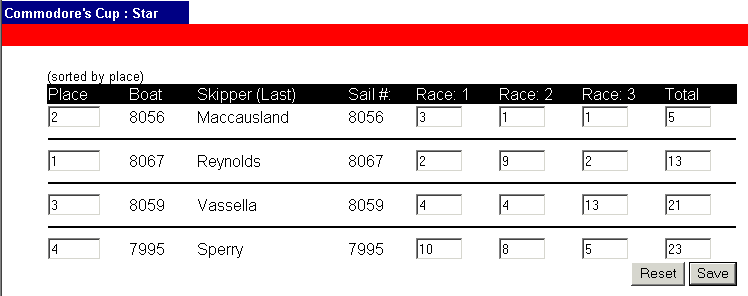
will get a screen that will allow you to enter the individual race
results for a boat, and the place for the overall (or current)
position. Once you have entered the results for each boat, click
save to refresh the screen and view the sorted results.
Please note that the results will be
sorted by the place field only, and that no scoring is performed by
the database. If you would like to calculate scores, please
use the JavaScore program as it
will allow you to define penalties and perform tie breaking.
|
- click to view full size -
|
If your results are correct, click done
to return to the Regatta Control Panel. Here you will be able
to add more classes to the event and repeat steps two through four, or click
done from the Regatta Control Panel to proceed to the next step:
-Upload
an Image-
|